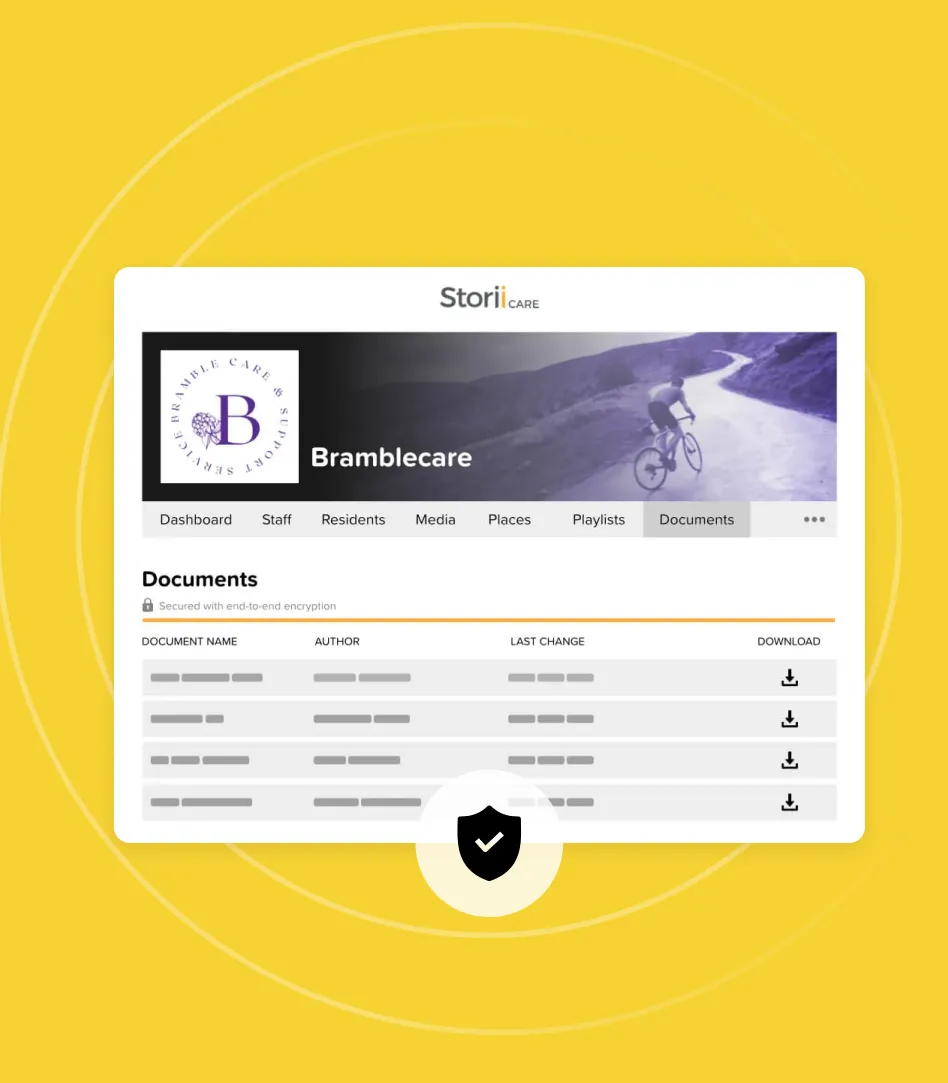
StoriiCare is constantly working towards powerful new features and product improvements. Here’s a brief overview of our latest updates:
Quick-Look Highlights
Billing Summary Dashboard – A new at-a-glance overview of revenue, payments, and claims performance
Care Plan Linked Properties in Forms – Pull Care Plan fields into form templates and sync updates automatically
Meal Tracking Feature – A new way to track CACFP meals and snacks with daily counts and exportable PDF reports
MAR Export Signatures & Initials – Digital signatures on staff profiles now auto-populate in MAR exports
Dashboard Search Tool – Easily find the feature you're looking for
Smaller Updates
Groups – View Active & Inactive participant and staff counts for each group
Note features – New filter options
Analytics – Filter Face Sheet charts by Group
.png)
Billing Summary Dashboard
The Summary tab inside StoriiCare's Billing feature has been upgraded with a comprehensive financial dashboard, giving you an instant picture of your program's billing performance without needing to export a report.
What you'll see at the top:
- Total Invoice Revenue — billed amount for the selected period
- Payments Collected — payments received in the same window
- Claims Reimbursement Rate — for programs submitting electronic claims
- Collection Rate — percentage of invoiced amounts successfully collected
Each metric displays a period-over-period comparison so you can quickly see whether things are trending in the right direction.
Charts included:
- Invoice Revenue Over Time
- Payments Processed Over Time
- Claims Submitted vs. Paid
- Revenue vs. Payments Trend
- Invoices Owed to You as of Today (awaiting payment and overdue)
- Recent Activity log for billing actions
The dashboard defaults to the last 30 days, but you can adjust the preset or enter a custom date range. You can also filter by Payers, Participants, Rates, Currency, and Aggregation (daily, weekly, or monthly) to zero in on exactly the data you need.
Care Plan Linked Properties in Forms
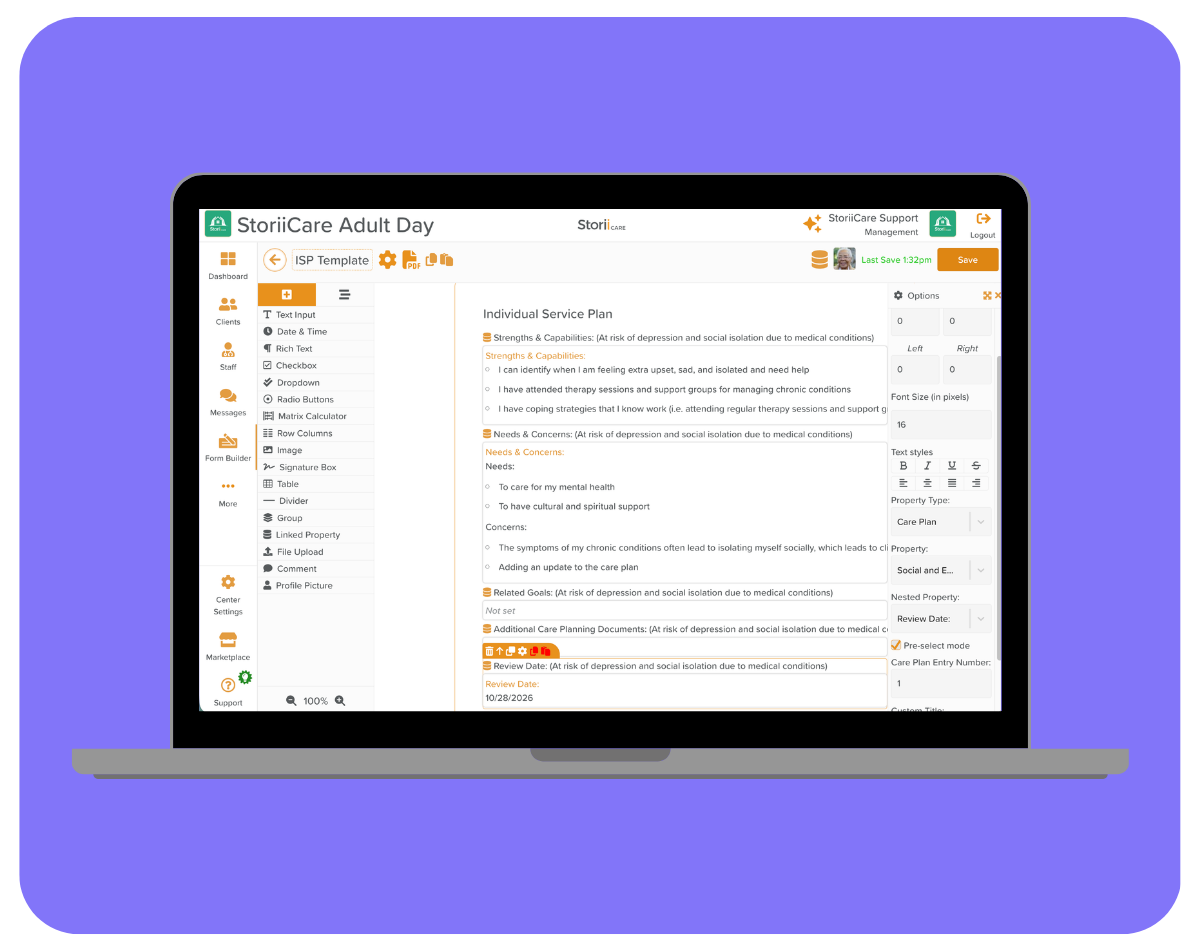
StoriiCare's Form Builder now supports a Linked Property component that pulls Care Plan fields directly into a form template. This means staff can view and update Care Plan entries without switching screens — and any edits made during form completion sync back to the participant's Care Plan automatically.
How to set it up:
- Open Form Builder from the main navigation.
- Create a new form template or edit an existing one.
- Drag the Linked Property component from the left-hand toolbar onto the form canvas.
- Click the settings wheel icon and set the Property Type to Care Plan.
- Use the Property dropdown to select a Care Plan category, then the Nested Property dropdown to choose a specific heading within it.
Pre-Select vs. Default Mode
If your form includes multiple linked Care Plan fields, you can choose how they appear at completion time. Pre-Select Mode pre-sets the entries and their display order — no staff selection required. Default Mode presents a dropdown so staff can select the relevant Care Plan entry at the time of completion, which is useful when the appropriate entry may vary by participant.
Once a form is submitted, any changes to the Care Plan content are synced back automatically. If syncing doesn't appear to be working, check that syncing is toggled on via the hamburger menu at the top right of the form before saving.
Meal Tracking
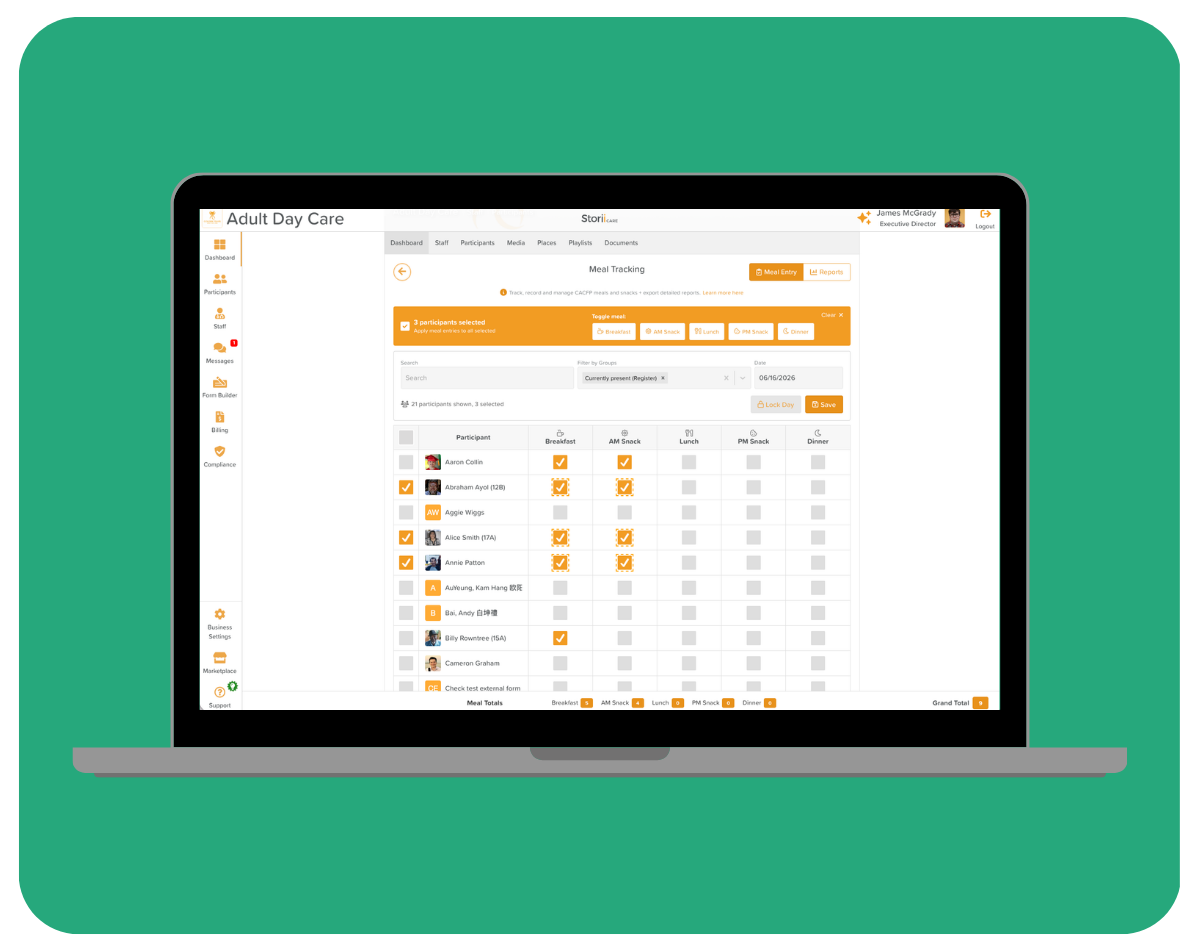
We've launched a dedicated Meal Tracking feature in StoriiCare. Designed primarily for services participating in the Child and Adult Care Food Program (CACFP), it's flexible enough to support any program that needs to record daily meal and snack service.
What you can track:
- Breakfast, AM Snack, Lunch, PM Snack, and Dinner
- Meal entries per participant per day, with a running daily total
- Bulk entry across multiple participants using the select-all and group toggle tools
Meal Entry
From the Meal Entry view, staff see a full participant list with checkbox columns for each meal type. Select one or more participants and use the Toggle meal bar to apply or remove meal entries in bulk. Days can be locked once entries are finalised to prevent accidental changes. Meal Totals are displayed at the bottom of the screen for a quick count at any time.
Reports
Switch to the Reports view to access a monthly Meal Count Report. The table shows daily totals for each meal type across the entire month, with weekend and non-service days clearly distinguished. When you're ready, export the report as a PDF — formatted for compliance and reimbursement purposes. Reports can also be filtered by specific participants.
.png)
MAR Export — Signatures & Initials Auto-Populated
Signatures and initials now automatically pull into the MAR (Medication Administration Record) export. StoriiCare will pull in any digital signature saved to a staff member's profile — no manual signing of printed MARs required.
To take advantage of this, each staff member simply needs to have a signature saved to their StoriiCare profile. Adding one takes less than a minute: navigate to your profile, open Settings → Account, scroll to the Signature section, and draw your signature using a stylus, mouse, or finger.
Learn how to add your saved signature
.png)
Dashboard Search Tool
Users will now find a prominent search bar integrated directly into your main StoriiCare dashboard. Instead of clicking through menus to find specific widgets or tools, you can now simply start typing to instantly filter and surface what you need. Just click, type, and go!
.png)
Groups — View Active & Inactive Counts for Each Group
Care providers can remove discharged participants from Groups at any time by editing the Group. However, for reporting purposes, many providers choose to keep discharged participants in their Groups. To help manage this, StoriiCare displays a clear breakdown of Active and Inactive participants (or staff) within each Group, so you can see the current composition at a glance.
.png)
Note Features — NEW Filter Options
Finding the exact documentation you need just got a whole lot easier. We’ve upgraded our Progress Notes system with advanced date filtering options to help you pull up specific entries quickly, making daily reviews and compliance audits a breeze!
You can now order and filter your notes using three distinct date parameters:
- Note creation date: View notes based strictly on the exact calendar day they were written, regardless of any other dates selected within the entry.
- Note edited date: Instantly surface entries by bringing the most recently updated or edited notes right to the top.
- Date included in note: Order notes by the specific clinical or event date entered/selected, no matter when the note was physically created.
💡 Why this matters: Whether you are retroactively adding notes from a previous shift or auditing recent updates, these new filters give you total control over how your data is displayed.
.png)
Analytics — Filter Face Sheet Charts by Group
We’ve just made your center's data analytics incredibly more powerful. Care providers can now filter Face Sheet charts in Analytics by Group, giving you deep, actionable insights into your center's unique demographics!
Instead of looking at your community as a single broad picture, this update allows you to cross-reference specific client groups with key demographic markers. This leads to targed breakdowns and smarter operations!
Questions or feedback?
As always, we love hearing from our community. If you have questions about any of these updates or ideas for future features, get in touch with our team.


.png)